IPTV Subscription Guide (2026): What to Look for Before Buying & How to Avoid Common Traps
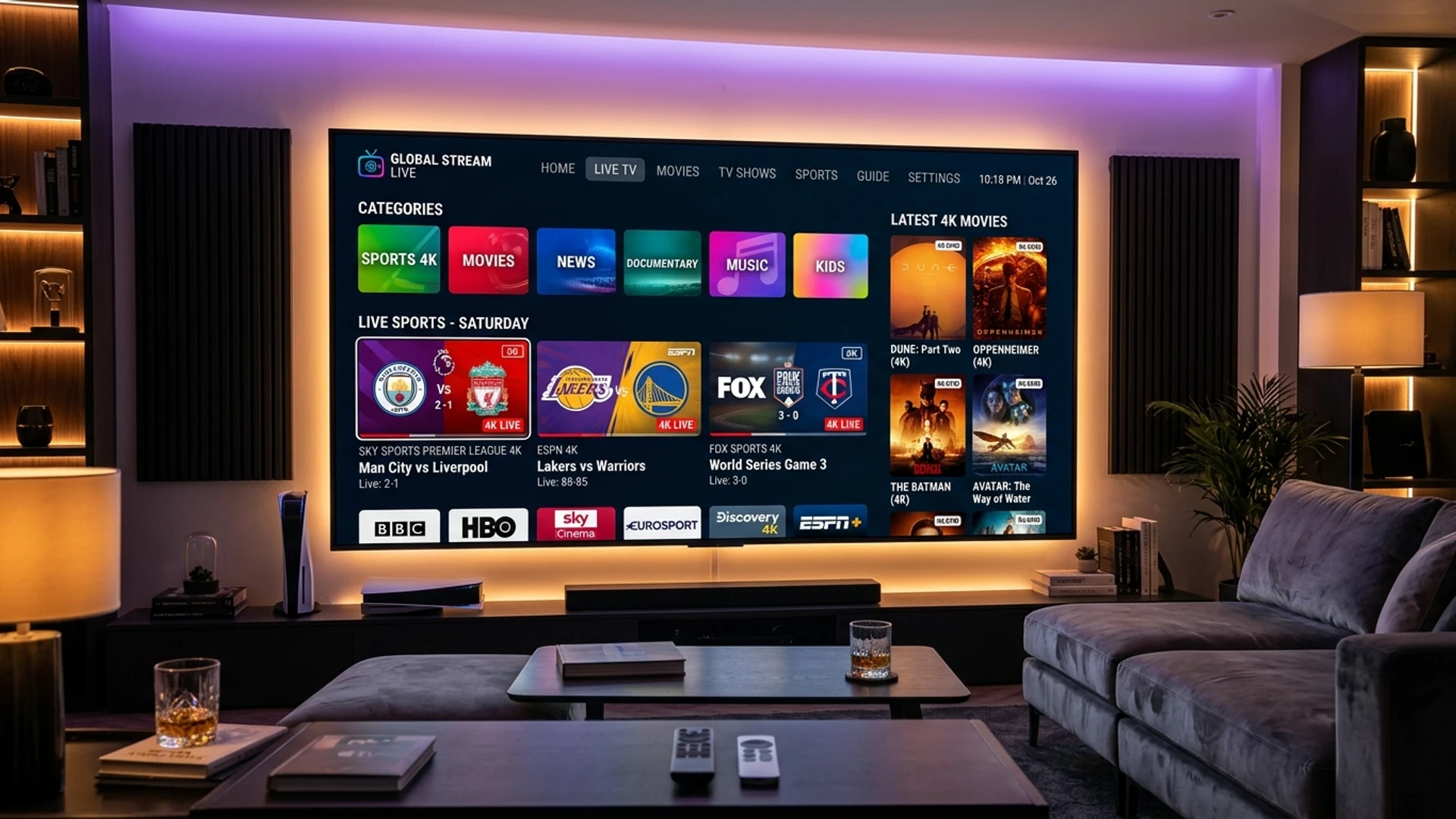
The global television landscape has shifted permanently. Traditional cable and satellite television packages, with their exorbitant monthly equipment rentals, restrictive two-year contracts, and bloated bundles of channels nobody watches, are rapidly losing ground to Internet Protocol Television.
Today, millions of viewers worldwide turn to IPTV to unlock comprehensive live entertainment, international sports tournaments, local news broadcasts, and expansive on-demand libraries at a fraction of the cost of legacy broadcast providers.
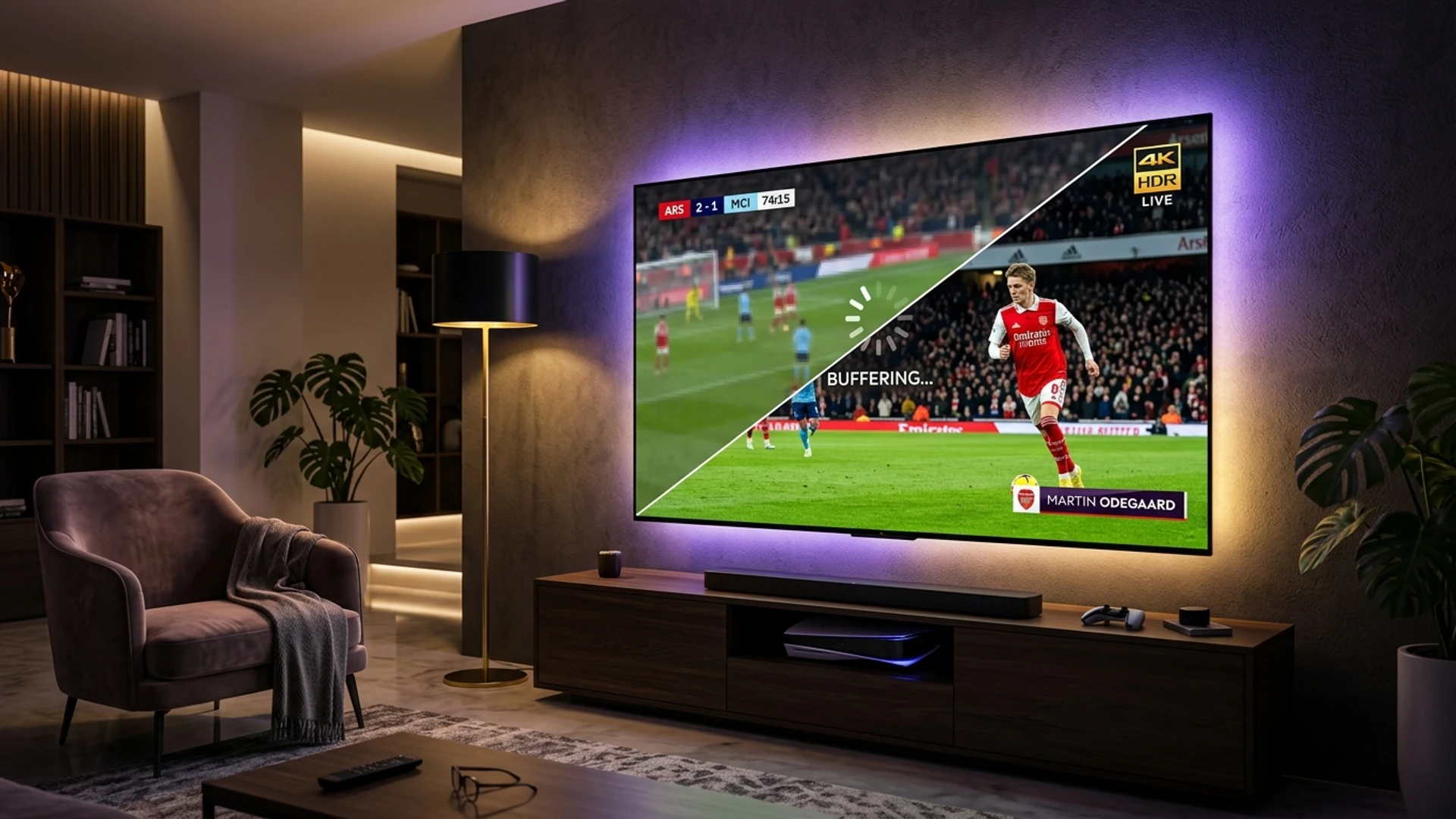
However, the rapid surge in IPTV popularity has created a crowded, chaotic marketplace. A simple web search returns hundreds of providers, each promising "over 100,000 channels," "zero buffering," and "unlimited 4K streams." Beneath these glossy claims lie massive differences in real-world server infrastructure, stream compression standards, broadcast reliability, electronic program guide (EPG) functionality, and customer service.
Choosing the wrong IPTV subscription often leads to endless buffering during peak evening hours, frozen sports broadcasts, blank EPG grids, sudden service disappearances, and non-responsive customer support.
This comprehensive guide is designed as an authoritative, practical buyer's blueprint for 2026. Whether you are cutting the cord for the first time or seeking to upgrade from a disappointing budget provider, this guide will teach you how to analyze an IPTV subscription objectively, identify critical technical benchmarks, spot predatory subscription traps, and choose a streaming service that delivers consistent, cinema-grade entertainment on your home screens.
What Is an IPTV Subscription and How Does It Operate?
Before evaluating providers, it is essential to understand the technological framework behind an IPTV subscription.
Unlike terrestrial antenna, coaxial cable, or satellite dish broadcasts—which transmit continuous radio-frequency signals across physical transmission media—IPTV delivers audio and video streams over internet protocol networks using packetized digital data.
When you purchase an IPTV subscription, you are essentially leasing authorized access to a provider's centralized media distribution infrastructure. A legitimate modern IPTV service is composed of three interconnected architectural layers:
[Broadcast Capture Centers] ──> [Encoding & Transcoding Farm] ──> [Global CDN Edge Servers]
                                                                             │
                                                                   [User IPTV Player App]
                                                           (Smart TV, Firestick, Android, iOS)
- Broadcast Acquisition & Capture Stations: The provider receives direct digital feeds from broadcast satellites, fiber-optic distribution feeds, and studio interconnects across various geographic regions.
- Encoding & Transcoding Farms: High-bitrate broadcast feeds are compressed into internet-friendly streaming codecs (primarily H.264/AVC, H.265/HEVC, and increasingly AV1). The system packages these streams into standardized streaming protocols—such as HLS (HTTP Live Streaming) or MPEG-TS.
- Global Content Delivery Networks (CDNs): Packaged video segments are mirrored across geographically distributed edge caching servers. When you tune into a channel on your TV, your application connects to the nearest physical CDN edge node to pull data with minimum latency.
- Subscription Authentication Gateway: The provider issues you personalized authentication credentials. These credentials typically take the form of an M3U Playlist URL, an Xtream Codes API login (server URL, username, and password), or a MAC-address registration (for dedicated IPTV boxes like Formuler or MAG).
Understanding this architecture highlights why pricing and infrastructure matter: capturing thousands of live broadcast feeds, encoding them in high-framerate 4K/Full HD, and hosting multi-gigabit edge delivery bandwidth requires continuous capital investment.
10 Crucial Factors to Evaluate in an IPTV Subscription
When comparing IPTV providers in 2026, evaluate each candidate against these ten non-negotiable criteria.
1. Server Architecture and Anti-Freeze Redundancy
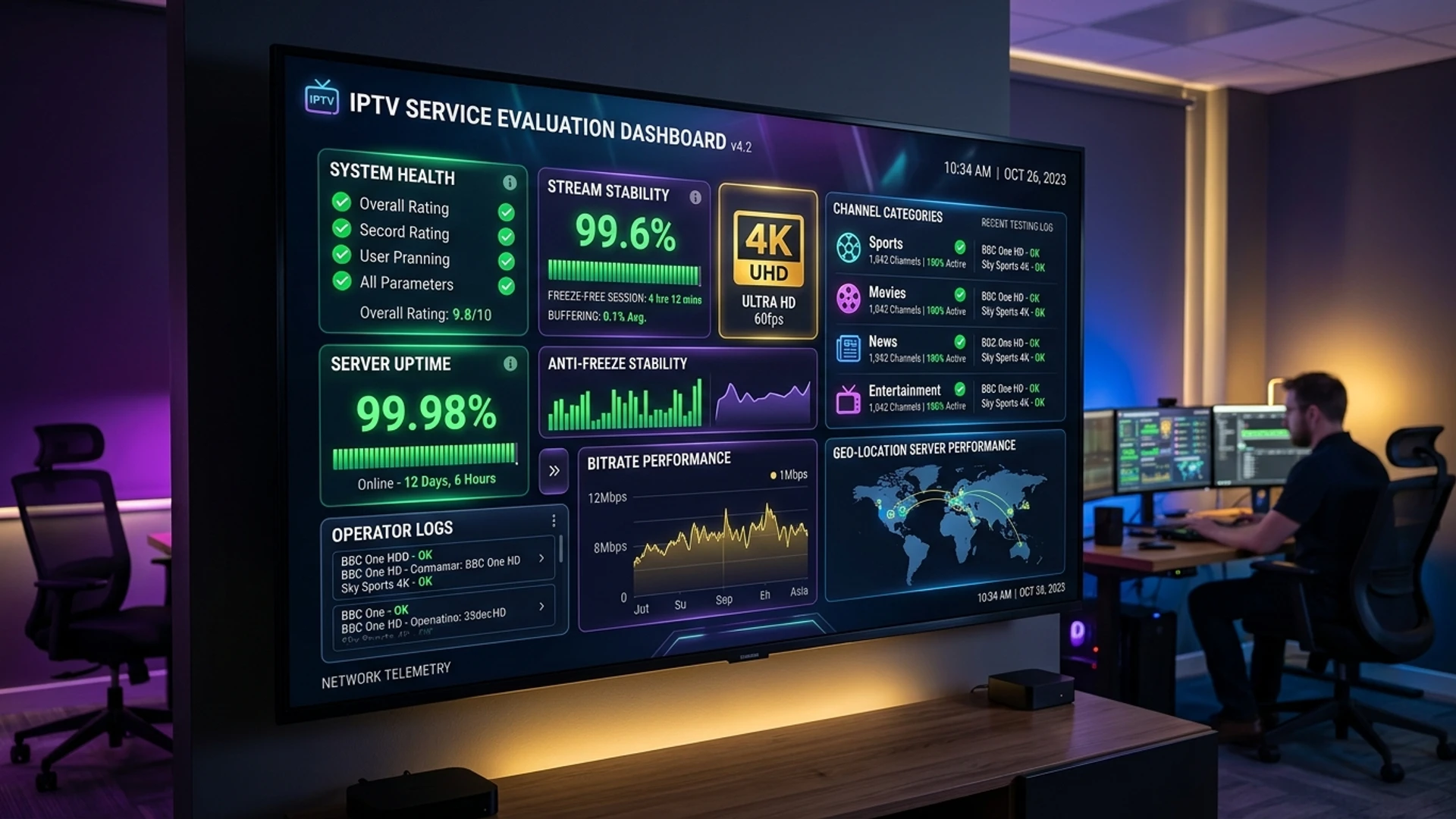
The single most important feature of any IPTV subscription is server stability. A service can boast 50,000 channels, but if the servers stutter every time a major football match or UFC main card begins, the subscription is worthless.
Inquire about the provider's server architecture:
- Load-Balanced Server Clusters: Premium providers distribute user traffic across synchronized server pools rather than relying on a single bare-metal server that crashes under surge demand.
- Anti-Freeze Server Algorithms: Advanced systems monitor packet delivery round-trips in real time. If a primary transit link experiences packet loss, the server automatically re-routes stream data through alternate Tier-1 backbones without interrupting your television playback.
- Dedicated Bandwidth Capacity: Providers must maintain sufficient outbound edge transit capacity to absorb peak evening viewing spikes (typically between 7:00 PM and 11:00 PM).
2. Stream Resolution and Native Frame Rates (60 FPS vs. 30 FPS)
Do not be misled by generic labels like "HD" or "4K." The actual viewing quality depends on two technical parameters: resolution and frame rate (FPS).
- For Live Sports: The frame rate is everything. A 1080p stream running at 30 frames per second will look juddery and motion-blurred during fast camera pans across a soccer field or hockey rink. A true sports-tier IPTV service delivers major sports networks in 1080p at 60 FPS (frames per second) or native 4K UHD (2160p). Fast motion remains silky smooth, preserving ball trajectory and player movements.
- For Movies and Entertainment: High-bitrate 1080p Full HD with uncompressed 5.1 Dolby Audio or high-dynamic-range (HDR) 4K provides a genuine home-theater experience.
- Compression Codecs: Top providers utilize HEVC/H.265 compression, which delivers superior image clarity, deeper contrast, and richer color depth at lower bandwidth thresholds compared to obsolete H.264 streams.
3. Channel Catalog Quality Over Artificial Quantities
One of the most persistent marketing gimmicks in the IPTV industry is the "channel count race." Providers aggressively advertise "30,000+ Channels!" or "70,000+ Channels!"
In reality, an inflated channel count is often a red flag indicating a poorly maintained service. These massive catalogs frequently contain:
- Hundreds of duplicated channels under different regional category headers.
- Dead, offline, or unmonitored channel feeds.
- Low-resolution 360p webcam streams and regional public-access broadcasts that clutter your navigation.
Instead of raw numbers, evaluate catalog organization and active channel maintenance:
- Are channels organized into clean, intuitive categories (e.g., US Entertainment, UK Sports, Canadian News, European Leagues)?
- Does the provider maintain dedicated backup feeds for major networks (e.g., ESPN HD, ESPN Backup, ESPN 4K)?
- Does the provider regularly prune dead links and audit their stream links?
4. Electronic Program Guide (EPG) Integration and Accuracy
A television subscription without an accurate Electronic Program Guide is nearly unusable. An EPG is the interactive on-screen grid that displays current program titles, descriptions, episode details, and upcoming schedules.
When testing a subscription:
- Check whether the EPG populates automatically when you input your Xtream Codes or M3U credentials.
- Verify that schedule timelines align accurately with your local time zone.
- Ensure that major entertainment and sports channels display full 24-hour to 7-day schedule timelines, allowing you to browse what is coming on later in the week.
- Top-tier services provide built-in XMLTV EPG links updated continuously on dedicated EPG caching servers to prevent guide sync delays.
5. Multi-Device Compatibility and Flexible Access
Your IPTV subscription should work seamlessly across every television, streaming stick, tablet, and smartphone in your household.
Check which platforms the provider supports:
- Smart TVs: Native app support for Samsung Tizen, LG webOS, and Android TV / Google TV (Sony, Philips, TCL, Hisense).
- Streaming Media Sticks: Full compatibility with Amazon Fire TV Stick (HD, 4K, 4K Max), Chromecast with Google TV, and Roku (via compatible media players).
- Premium Streaming Boxes: Flawless operation on Apple TV 4K, NVIDIA Shield TV Pro, and dedicated IPTV hardware (Formuler, BuzzTV, MAG).
- Mobile & Desktop: Support for iOS (iPhone/iPad), Android mobile, Windows PC, and macOS.
- Independent Player Support: Avoid providers that force you to use a proprietary, ad-infested custom application. A reputable provider allows you to connect using gold-standard third-party players like TiviMate, IPTV Smarters Pro, IBO Player, XCIPTV, or OTT Navigator.
6. Video-on-Demand (VOD) Library Scope and Refresh Frequency
In addition to live linear television, a high-caliber IPTV subscription includes an extensive on-demand library of movies and full television series.
Evaluate the VOD offering:
- Update Cadence: Are newly released cinema films and trending television episodes added promptly after release?
- Metadata Polish: Does the VOD interface display high-resolution movie posters, plot summaries, release years, cast listings, and IMDb ratings?
- Audio & Subtitle Options: Are on-demand titles equipped with multiple language audio tracks and selectable closed-caption subtitles?
- Resolution Tiers: Are blockbuster movies available in genuine 4K HDR with surround sound?
7. Multi-Room and Concurrent Connection Options
Consider how many televisions or family members will use the service simultaneously.
Most standard IPTV subscriptions include one concurrent connection (meaning the service can be actively streaming on one screen at a time). If someone in the living room turns on a football match while someone in the bedroom attempts to watch a movie, a single-connection subscription will either kick one user off or freeze both streams.
Look for providers that offer transparent multi-room packages (2, 3, or 4 concurrent connections) at reasonable bundle rates. Multi-connection plans allow simultaneous streaming across multiple household screens using a single account dashboard.
8. Payment Security, Privacy, and Transparent Terms
How a provider handles transactions reflects their operational legitimacy:
- Secure Payment Gateways: Reputable providers process transactions through secure, encrypted checkout gateways supporting major credit cards (Visa, MasterCard), PayPal, or established cryptocurrency options (Bitcoin, USDT).
- No Hidden Recurring Traps: Be cautious of shady billing setups that automatically lock your card into recurring monthly charges without a visible, one-click cancellation button inside the user dashboard.
- Data Privacy: The provider should never demand invasive personal identification, phone numbers, or social security details to activate an entertainment subscription.
9. Responsive Customer Support and Technical Assistance
When a broadcast transponder changes frequencies or you need assistance setting up an app on a new TV, competent technical support is vital.
Examine the provider's support channels:
- Do they offer real-time customer assistance via live chat or WhatsApp, or are you limited to an unattended email inbox?
- Are support responses answered by knowledgeable technical specialists, or by automated generic bot scripts?
- Does the provider maintain detailed step-by-step setup tutorials and knowledge base documentation for various devices?
10. Provision of Free or Low-Cost Trials
A confident, high-tier IPTV provider has no reason to hide the quality of their streams. They will readily offer a free 24-hour trial or an inexpensive short-term test pass (e.g., $2 to $3 for 24–48 hours).
A trial window gives you the opportunity to test the service under real-world conditions:
- Test the streams during Sunday afternoon or evening peak hours.
- Inspect the responsiveness of channel zapping (switching between channels).
- Verify the accuracy of the EPG guide.
- Test your favorite sports networks for true 60 FPS playback. Never purchase an annual subscription without thoroughly testing the provider during peak live sporting events.
Looking for an IPTV Subscription You Can Trust?
Join thousands of satisfied viewers using Wizard TV. Experience 50,000+ live premium channels, 120,000+ VOD titles, and anti-freeze server stability with zero contracts.
View Wizard TV PlansIPTV Subscription Feature Comparison Matrix
The table below contrasts what you can expect from an entry-level budget provider versus an enterprise-grade premium IPTV service in 2026:
| Evaluation Feature | Cheap / Budget IPTV ($3–$6/mo) | Premium Enterprise IPTV (e.g., Wizard TV) |
|---|---|---|
| Server Architecture | Single bare-metal server; high latency | Distributed CDN edge clusters with load balancing |
| Peak Sports Stability | Severe buffering during major matches | Anti-Freeze 10.0 redundancy; zero buffer stalls |
| Video Resolution | Compressed 720p / upscaled 1080p | Native Full HD (1080p @ 60fps) and 4K Ultra HD |
| Channel Catalog | 40,000+ unorganized, dead feeds | 50,000+ curated, active global & regional channels |
| EPG Integration | Missing, blank, or desynchronized | 7-day automated XMLTV EPG with time zone sync |
| VOD Library | Outdated films, poor compression | 120,000+ 4K/FHD movies & series updated daily |
| App Freedom | Locked to proprietary ad-heavy apps | Compatible with TiviMate, Smarters, IBO Player, etc. |
| Customer Support | No response / dead ticketing system | 24/7 dedicated support via WhatsApp & Live Chat |
| Money-Back Guarantee | None; all sales strictly final | Transparent 7-day money-back satisfaction guarantee |
5 Common IPTV Traps and Scams to Avoid
The IPTV sector has its share of unscrupulous operators. Arm yourself with the knowledge to recognize these five widespread traps.
[IPTV Buyer Warning Signs]
  ├── "Lifetime Subscription" Offers ($50 one-time fee) ──> Exit Scam within 3–6 months!
  ├── "100,000+ Channels" Claims ─────────────────────────> Over 70% dead / duplicated feeds!
  ├── Cryptocurrency-Only with No Refund Terms ───────────> No recourse if servers go dark!
  ├── Zero Peak-Hour Trial Testing ───────────────────────> Server collapses during Sunday football!
  └── Forced Proprietary Ad-Ware Applications ────────────> Sells tracking data, terrible UI!
Trap 1: The "Lifetime Subscription" Mirage
One of the oldest and most damaging scams in the IPTV world is the "Lifetime Subscription" offer. A website will advertise lifetime access to 50,000 channels for a single one-off payment of $50, $80, or $100.
The Reality: Delivering live streaming television requires continuous monthly server expenses, bandwidth transit bills, engineering salaries, and software licensing. No legitimate business can deliver streaming bandwidth indefinitely for a single $50 fee.
Providers offering "lifetime" accounts operate exit-scam models: they collect one-off payments for three to six months until server costs exceed income, then shut down their domain and servers overnight—only to reopen the following week under a new brand name. Always purchase monthly, quarterly, semi-annual, or annual subscriptions from established providers with ongoing operational cash flow.
Trap 2: The Artificial 100,000+ Channel Gimmick
When an IPTV site claims to offer 80,000 or 100,000 live channels, they are almost certainly running automated playlist scrapers. These playlists are filled with dead feeds, broken audio tracks, pirated webcams, and loop recordings.
Navigating a massive, bloated playlist slows down media player applications, causes EPG sync failures, and turns channel surfing into an exercise in frustration. A curated lineup of 50,000 high-bitrate, monitored channels is infinitely superior to an unmonitored dump of 100,000 broken links.
Trap 3: Subscribing During the Off-Peak Window Without Testing Peak Hours
Many users purchase an IPTV subscription on a Tuesday morning at 10:00 AM, test three channels, find that they load instantly, and immediately purchase a 12-month plan.
However, internet routing and IPTV server load change dramatically during peak periods:
- Sunday afternoon during Premier League, NFL, or Champions League matches.
- Saturday evening during UFC pay-per-view main cards.
- Prime-time weekday evenings between 8:00 PM and 10:30 PM.
An underpowered server that works smoothly on Tuesday morning may grind to a complete halt on Sunday afternoon. Always demand a trial that covers a high-profile live sporting event before committing to a long-term plan.
Trap 4: Providers Forcing Proprietary, Locked-Down Apps
Be wary of providers that refuse to issue standard M3U playlist URLs or Xtream Codes API credentials, instead requiring you to sideload an obscure, unverified APK file.
These proprietary applications often contain intrusive advertising trackers, lack basic playback customization features (such as buffer adjustments or external player integration), and lock you into their ecosystem. High-standard providers give you the freedom to choose your preferred media player.
Trap 5: Resellers Who Lack Server Access
A substantial portion of the IPTV marketplace consists of amateur resellers who buy bulk credits from large wholesale server panels and resell them online.
While reputable resellers provide excellent customer support, inexperienced resellers have zero control over server infrastructure. When channels go down or streams stutter, an inexperienced reseller has no ability to fix the problem—they can only submit a ticket to an upstream administrator and tell you to "wait." Look for established brands with dedicated engineering oversight.
How to Compare IPTV Subscription Packages
When you are ready to make a purchase, structure your evaluation into three distinct testing phases:
Phase 1: Channel Lineup Audit
- Visit the provider's Channel Lineup or request a sample playlist.
- Check for your essential viewing categories:
- Your local regional broadcast networks (ABC, CBS, NBC, FOX, BBC, ITV, etc.).
- Major sports packages (Sky Sports, TNT Sports, ESPN, beIN Sports, DAZN).
- Premium movie channels (HBO Max, Showtime, Cinemax, Starz).
- International programming for your household's native languages.
- Confirm that duplicate channels are organized logically and labeled with resolution and frame rate tags (e.g., "US: ESPN [1080p 60fps]").
Phase 2: Trial Benchmark Testing
Once you activate a test pass or trial, execute this 15-minute diagnostic protocol:
- Zapping Speed Test: Switch between 10 consecutive channels. High-performance streams should resolve and begin playing within 1 to 2.5 seconds. Delays exceeding 5 seconds indicate sluggish server handshakes.
- Sports Frame Rate Check: Tune into an active live football or basketball broadcast. Verify that the ball and camera pans move with fluid 60 FPS clarity rather than choppy 30 FPS judder.
- EPG Synchronization: Verify that the electronic program guide populates across all tested channels and displays accurate program titles for the current broadcast hour.
- VOD Playback & Fast-Forward: Open a movie from the on-demand library. Test fast-forwarding and rewinding by 10 minutes. The stream should resume smoothly without freezing or crashing the application.
- Peak Hour Stress Test: Watch a live channel continuously for 45 minutes during prime-time evening hours to confirm zero buffering stalls.
Phase 3: Hardware Cross-Platform Verification
Test the subscription across your intended hardware:
- Set up the service on your primary living room television (e.g., Firestick or Apple TV).
- Test on a secondary device (e.g., smartphone or tablet) to ensure credentials connect seamlessly across operating systems.
- For detailed setup tutorials for each hardware platform, consult our comprehensive Wizard TV Installation Guide.
Detailed Step-by-Step Setup: Xtream Codes vs. M3U Playlists
When your subscription is activated, your provider will issue connection credentials. Understanding how to properly configure these credentials inside your chosen media player prevents common configuration errors.
Method 1: Xtream Codes API (The Recommended Protocol)
The Xtream Codes API protocol is the industry benchmark for modern IPTV players. Instead of downloading a massive text file containing thousands of individual web links, Xtream Codes communicates dynamically with the provider's server database.
Advantages of Xtream Codes API:
- Faster Category Loading: Your player loads categories on demand rather than parsing a 30 MB text file each time the app starts.
- Automated EPG Binding: Program guide data maps directly to channel IDs without requiring manual XMLTV URL configuration.
- Organized VOD Sections: Movies and television series are neatly separated with cover art, synopsis, cast lists, and episode ordering.
- Account Status Monitoring: You can view your active subscription expiration date, maximum allowed connections, and server message bulletins directly inside the player UI.
How to Configure Xtream Codes in TiviMate or IPTV Smarters:
- Open your player application and select Add Playlist or Add New User.
- Choose Xtream Codes API or Login with Xtream Codes API.
- Enter a friendly profile name (e.g., "Wizard TV Living Room").
- Input the Server URL exactly as provided in your activation email (including
http://and the port number, e.g.,http://stream.wizardtv.site:8080). - Enter your assigned Username and Password (note that credentials are case-sensitive).
- Check the box to Include VOD if you wish to access movies and series.
- Click Login or Save. Allow the application 30 to 60 seconds to download and parse channel groups, series categories, and EPG schedules.
Method 2: M3U Plus Playlist Links
An M3U playlist is a formatted text playlist file (or web URL) containing raw stream paths, channel names, group titles, and logo references.
When to Use M3U:
- On legacy streaming players or web browsers that lack dedicated Xtream Codes login interfaces.
- For specialized media centers like Kodi, VLC Media Player, or hardware transcoders.
- In smart TV players (like SS IPTV) that only accept URL uploads.
How to Configure an M3U Playlist:
- Copy the full M3U URL provided by your provider. Ensure it is the M3U_Plus format, which includes extended metadata tags (
#EXTINFandtvg-id) necessary for channel logos and EPG mapping. - In your player app, select Add Playlist > M3U URL.
- Paste the complete URL. Ensure there are no accidental spaces at the beginning or end of the string.
- If your player requests an EPG URL separately, copy and paste the provider's direct XMLTV link into the EPG configuration field.
- Save the profile and initiate a full synchronization.
Audio Formats and Sound Considerations in Modern IPTV
While video resolution receives the majority of attention, high-fidelity sound is equally crucial for an immersive television experience.
Modern broadcast channels and on-demand movies are transmitted with various audio codecs:
- Stereo PCM / AAC (Advanced Audio Coding): The standard audio format for international news, studio talk shows, and basic broadcast television. It delivers clean, highly compatible 2.0 channel stereo sound that plays smoothly on all TV speakers and soundbars.
- Dolby Digital (AC3) and Dolby Digital Plus (E-AC3): Premium live sports channels, major entertainment networks, and cinematic VOD titles are broadcast with 5.1 surround sound. This provides discrete channels for front left, center dialogue, front right, surround effects, and low-frequency subwoofer bass (LFE).
- Audio Passthrough Configuration: If you connect your streaming device to an external AV receiver, soundbar, or home theater audio system via HDMI eARC or optical Toslink, ensure that Audio Passthrough is enabled in both your device operating system settings and your IPTV player. Passthrough allows the raw multi-channel audio stream to bypass internal TV audio processing and decode directly inside your sound system.
- Audio Desynchronization Fixes: Occasionally, a live channel stream may experience slight lipsync drift. High-end players like TiviMate provide an Audio Delay Adjustment slider, allowing you to calibrate audio ahead or behind video frames in 50-millisecond increments.
Device-Specific Setup and Recommendation Guide
Different household devices offer distinct advantages and challenges when running an IPTV subscription. Below is practical guidance for optimizing each major ecosystem:
1. Amazon Fire TV Stick (4K & 4K Max)
The Amazon Firestick is the most popular IPTV streaming hardware worldwide due to its affordable price point, compact form factor, and Android-based operating system (Fire OS).
- Optimal Player: TiviMate or IPTV Smarters Pro.
- Installation Method: Download the Downloader application from the Amazon Appstore, enable developer options / unknown sources in Fire TV settings, and install your preferred player APK directly.
- Best Practice: Utilize the included HDMI extender cable to keep the Firestick away from TV heat, and power the stick using the included wall adapter rather than an underpowered USB port on the back of your television.
2. Apple TV 4K (tvOS)
Apple's flagship streaming box delivers unmatched processing speed, fluid interface animations, and pristine hardware video decoding.
- Optimal Player: IPTVX or Smarters Player Lite. IPTVX transforms your subscription into a stunning interface reminiscent of Apple TV+ with smooth hero artwork and snappy EPG navigation.
- Advantage: Exceptional Wi-Fi 6 antennas and built-in Gigabit Ethernet on Ethernet-equipped models.
- Best Practice: Ensure "Match Content Frame Rate and Dynamic Range" is enabled in tvOS settings to allow your television to automatically synchronize with 60 FPS sports broadcasts.
3. Android TV & Google TV (Chromecast, Sony, TCL, Hisense)
Certified Android TV and Google TV devices provide direct access to the official Google Play Store, simplifying app downloads and updates.
- Optimal Player: TiviMate (available directly via Google Play Store).
- Advantage: Native operating system integration with Google Assistant and unified voice search across channels.
- Best Practice: Use a USB hub or Ethernet adapter on Chromecast with Google TV to enjoy a rock-solid wired connection.
4. Samsung Tizen & LG webOS Smart TVs
Modern Samsung (Tizen) and LG (webOS) televisions allow you to run IPTV without purchasing any secondary streaming stick or set-top box.
- Optimal Player: IBO Player, Nanomid, or Smart IPTV.
- Installation Method: Search for the player directly within the Samsung Smart Hub or LG Content Store.
- Activation: These apps typically identify your TV via a virtual MAC address and device key. You then upload your M3U or Xtream Codes credentials via the player's web configuration portal.
- Best Practice: Connect your Smart TV directly to your home router with a Cat6 Ethernet cable, as internal TV Wi-Fi chips often lack the range of dedicated external streaming boxes.
Why Wizard TV Represents the Gold Standard in 2026
At Wizard TV, we have engineered our subscription ecosystem to address every major pain point found in conventional IPTV services:
- 50,000+ Curated Global Channels: An exhaustive lineup spanning 150+ countries, meticulously organized by region and genre with zero duplicate bloat.
- Dedicated 60 FPS Live Sports & 4K Feeds: Native high-framerate sports channels covering the English Premier League, UEFA Champions League, NFL Sunday Ticket, NBA League Pass, Formula 1, and UFC PPV events in razor-sharp resolution.
- 120,000+ VOD Cinema & Series Library: A massive on-demand collection featuring 4K HDR releases, multi-language subtitles, and automatic weekly additions of trending streaming titles.
- Anti-Freeze 10.0 Redundancy: Enterprise-grade server clusters with automatic failover routing, guaranteeing 99.99% uptime and zero buffering during high-traffic global broadcasts.
- Universal Device Compatibility: Full compatibility with TiviMate, IPTV Smarters, IBO Player, XCIPTV, Firestick, Apple TV, Smart TVs, Android boxes, Windows, and iOS.
- 24/7 Dedicated Support & 7-Day Guarantee: Real-time customer support via WhatsApp and Live Chat, backed by a no-risk 7-day money-back satisfaction guarantee.
To explore our flexible subscription tiers and find the ideal plan for your home entertainment needs, visit the Wizard TV Pricing page.
Start Streaming in Crystal-Clear 4K Today
Instant automated activation across Samsung, LG, Firestick, Android, and Apple TV. Enjoy 24/7 technical support and our 7-day money-back guarantee.
Get Wizard TV SubscriptionFrequently Asked Questions
Conclusion
Navigating the IPTV subscription marketplace in 2026 does not have to be a gamble. By prioritizing server architecture, verified 60 FPS stream quality, accurate EPG integration, and open device compatibility over exaggerated channel counts and unrealistic "lifetime" claims, you can secure an exceptional television service that rivals and exceeds traditional cable.
Always demand a trial, test your streams during live sports broadcasts, ensure your preferred third-party player is supported, and partner with a provider that invests in dedicated infrastructure and responsive customer support.
Ready to transform your television viewing with guaranteed stability, pristine 4K video, and tens of thousands of premium channels? Explore Wizard TV Pricing Plans or test our offerings today to experience the future of internet-delivered television.